Best practices
The mechanics of LogiMapper are simple. The craft of using it well is in the editing decisions. These four habits separate a map a stakeholder skims and ignores from one they actually rely on.
1. Make your arrows mean something
Vary arrow thickness, line style and colour to encode the kind of relationship, not for decoration. A common, easy-to-explain scheme:
- Thick solid arrows for strong, evidenced causal links.
- Thin solid arrows for weaker or partial contributions.
- Dashed arrows for uncertain or conditional relationships.
- Red arrows for negative effects (something reducing or undoing the outcome above it).
Whatever scheme you use, publish it in the legend so viewers know how to read the map.
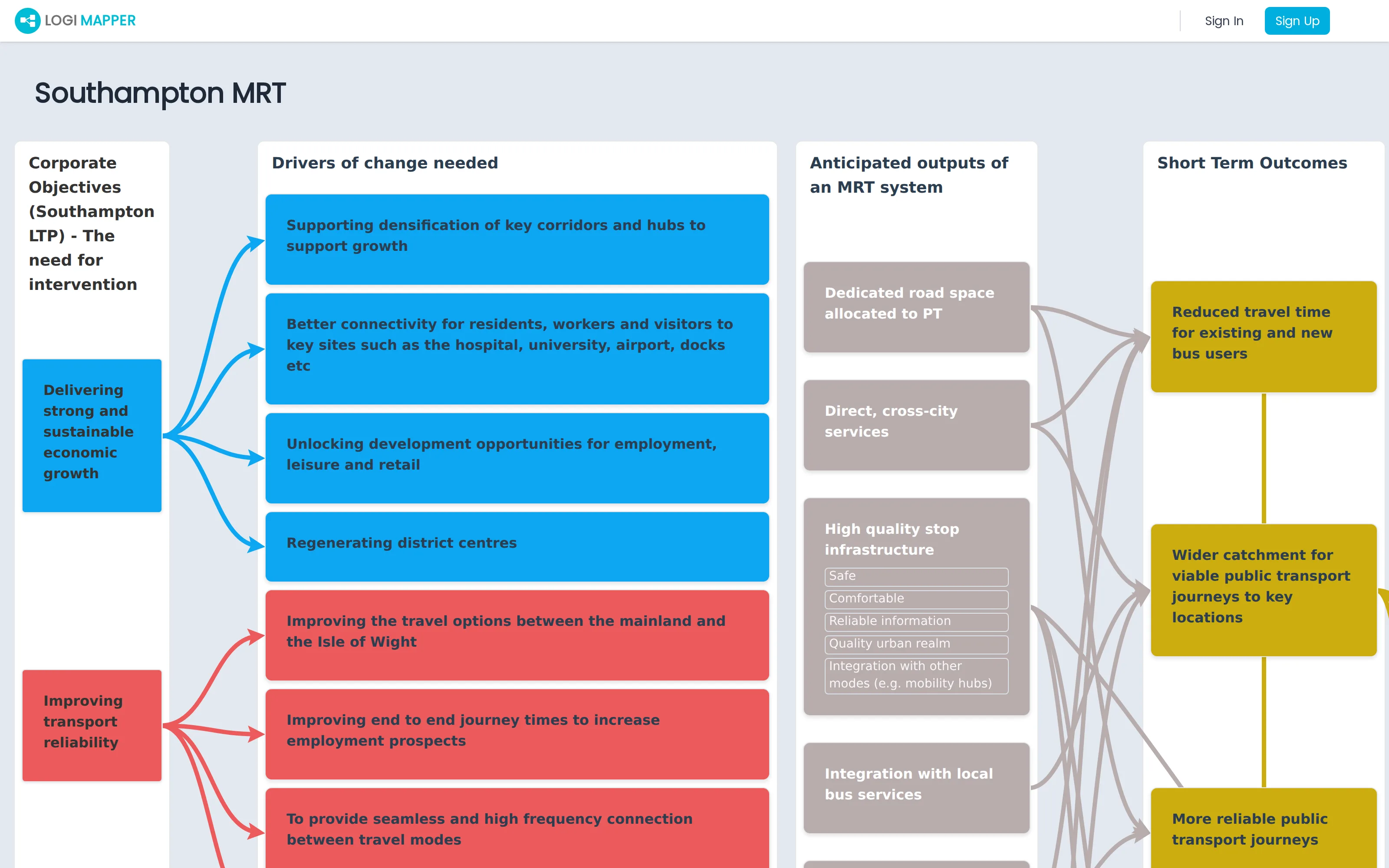
2. Keep it simple and clear
It’s very easy to end up with a map that’s technically complete and practically illegible: too many boxes, too many arrows, every-thing-connects-to-every-thing. Resist this with two habits:
- Stack sub-text inside boxes when a column has several similar items. A single box with three stacked sub-headings is often clearer than three thin boxes joined by three parallel arrows.
- Don’t link everything to everything. It’s very rarely true that every input contributes to every outcome. The interactive highlight in LogiMapper only works as a navigation tool when chains are distinguishable.
3. Make the map easy to navigate
For larger maps, a few layout disciplines pay off:
- Roughly equal column heights. Use the column-level and box-level spacing controls to balance heights so the eye reads cleanly left to right.
- Use column width to absorb long text. Widening a single column with verbose boxes is almost always better than leaving the column long and thin.
- Keep linked boxes in similar vertical positions. Where you have flexibility on where a box sits in its column, place it near the boxes it connects to. Short horizontal arrows are easier to follow than long diagonals.
4. Keep your URLs alongside your project files
Every map is tied to your account and lives in your map library, so you won’t lose it. Still, a few simple habits make life easier for the wider team:
- Whenever you share a map (yours or a duplicate for someone else to edit), copy the URL into the project folder so the rest of the team can find it without searching their own library.
- When you Save As to create a new version, save the new URL alongside the old one so people don’t accidentally view a stale version.
- If you’re sharing an editable copy with someone outside the team, always send them a duplicate, not the original.